Enhanced Measurement: Beyond the Pageview
In the old era of Universal Analytics, tracking anything beyond a simple page load required writing custom JavaScript or deploying complex Google Tag Manager triggers. With GA4, Google introduced Enhanced Measurement—a powerful, built-in engine designed to capture user intent automatically.
We fine-tune these native settings to ensure your analytics stream is clean, highly actionable, and free from the data noise that plagues standard default installations.
What is Enhanced Measurement?
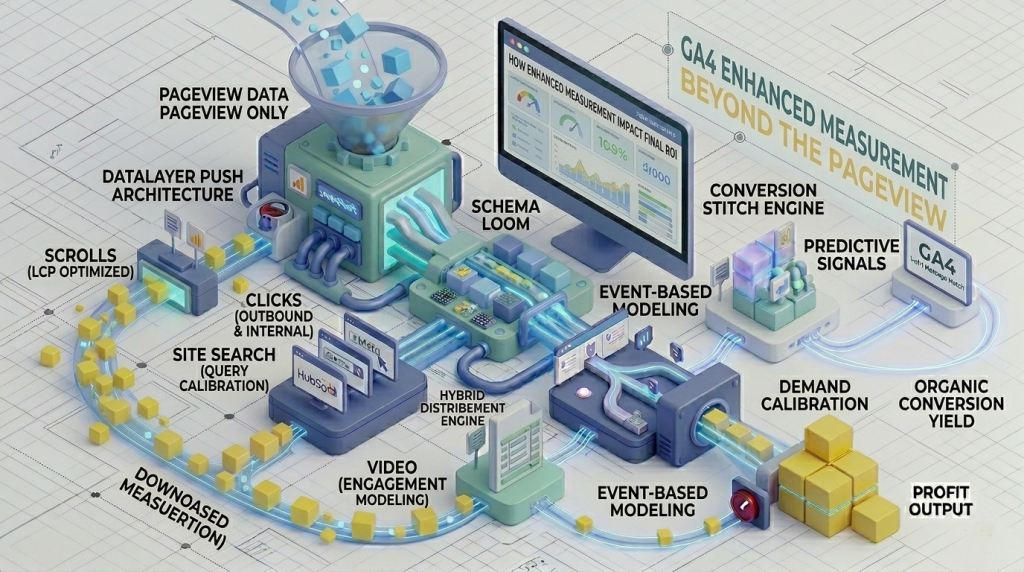
Enhanced Measurement is a suite of automated tracking features that allows GA4 to measure interactions directly through client-side browser events without requiring direct modifications to your codebase. It transitions your reporting from a legacy “Hit” model to a granular “Event” model, capturing meaningful touchpoints for both lead-generation websites and e-commerce stores.
The Five Essential Automated Event Streams
When auditing a GA4 property, we focus on optimizing these five core built-in interaction streams:
- Scrolls (
scroll): Automatically triggers when a user reaches the bottom (90% vertical depth) of a page. This serves as a baseline engagement metric for long-form technical guides and pillar posts. - Outbound Clicks (
click): Tracks every time an outbound link redirects a user off your domain. Essential for measuring partner referrals, external resources, or affiliate link exits. - Site Search (
view_search_results): Captures the precise query terms typed into your site’s internal search bar—a direct source of insight for unearthing content gaps or missing product offerings. - Video Engagement (
video_start,video_progress,video_complete): Measures play events, progress thresholds (25%, 50%, 75%), and completion states for embedded YouTube videos using native JS API listeners. - File Downloads (
file_download): Automatically logs interactions when a user clicks links targeting common document extensions (PDF, DOCX, ZIP, etc.), ideal for tracking whitepaper and manual downloads.
Optimization: Filtering Out Data Noise
Default automated collection often captures incomplete or misaligned data. To maintain an executive-grade analytics property, we apply three critical technical configurations:
Technical Configuration Steps
- Custom Search Query Parameters: If your website architecture uses non-standard search URL structures (e.g.,
?find=or?s_term=instead of?q=), we map these parameters directly within GA4 Data Stream settings so internal search data is never lost. - Granular Multi-Threshold Scroll Tracking: Because default GA4 only logs 90% depth, we supplement high-value pages with custom 25%, 50%, and 75% scroll depth triggers via GTM to pinpoint exactly where user drop-off occurs on long-form content.
- Internal Developer IP Filtering: We configure internal traffic rules and data filters to exclude internal team sessions, ensuring development, testing, and editing activity never skews conversion rates.
Why This Matters for Your Bottom Line
Data without structural context produces vanity metrics. By mastering and extending Enhanced Measurement, you gain precise clarity on which technical resource downloads generate qualified leads, and which articles effectively route users toward high-value contact pages.